
Laptop Battery Replacement Cost Australia: What to Expect
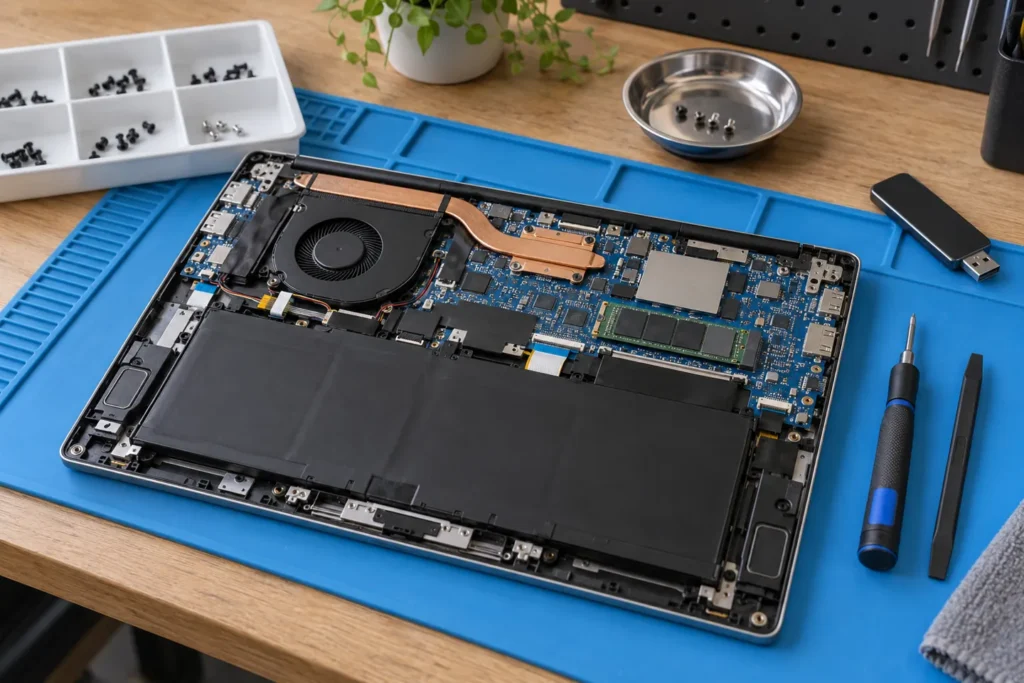
Laptop battery replacement cost in Australia usually lands around $120–$280 fitted for common Dell, HP and Lenovo packs, and about $200–$500 for many MacBook jobs at independents. Shorter runtime, surprise shutdowns or a bulging chassis are the usual triggers. Below is what drives the quote, when aftermarket cells are fine, and when the money is better spent on a new laptop.
Find battery-capable shops via /locations/. Soft Mac pathway notes: Apple computer repairs near me.
Typical battery replacement costs by machine type
For common business and consumer Windows laptops, expect roughly $120–$280 for OEM or quality compatible supply plus install. That usually breaks into a pack around $80–$180 and labour around $40–$100 when the base cover comes off. Gaming notebooks with larger packs can push $350–$500 for OEM cells.
MacBook batteries through independents often sit about $200–$350 on older designs and $250–$500 where the pack is glued into the top case. Apple Authorised pricing can run higher, commonly into the $300–$600 band depending on model, but uses genuine cells and keeps AppleCare paths cleaner if cover is still active. Soft bands only; your exact year moves the number.
OEM vs aftermarket: when cheap cells are fine
OEM or brand-specified packs match original capacity reporting and are the safer pick while manufacturer warranty is live. Aftermarket cells from reputable lines can be fine on older or budget machines when OEM stock is discontinued or priced like a new laptop. No-name marketplace packs are a gamble on capacity, connectors and swell risk.
So if the machine is under warranty or is a work-critical XPS, EliteBook or MacBook, lean OEM or authorised. If it’s a five-year-old VivoBook you only need for email, a shop-sourced compatible pack with a clear warranty often makes more sense than waiting on an OEM special order.
When to replace: health reports and swelling
- Runtime drops to half an hour or less on a full charge
- Shutdowns while the battery icon still shows charge remaining
- Chassis bulging, rocking on a desk, or a lifting trackpad
- Machine only works on AC, or refuses to charge reliably
Windows battery reports (`powercfg /batteryreport`) and macOS battery condition readouts show design versus full charge capacity. Once you’re well under about 80% of design capacity, runtime complaints usually aren’t software.
Swelling is a safety issue, not a inconvenience. Stop charging, power off, and book removal. Don’t press a bulging pack flat or keep flying with it. A swollen cell can crack the trackpad and screen from the inside, turning a battery job into a multi-part invoice.
Labour time: screw packs vs glued MacBooks
Removable slide-lock batteries on older machines are almost DIY. Most post-2015 laptops hide screw-mounted packs under the bottom cover (about 15–30 minutes of labour, often $40–$80). MacBooks and many ultrabooks use adhesive; expect one to two careful hours and labour closer to $100–$200 depending on the shop.
Ask whether the headline price is parts-plus-labour or parts only. Flat “battery specials” should still name the cell grade and warranty length (commonly 3–12 months on the pack). Broader repair bands: computer repair cost Australia.
DIY, safety and disposal
DIY is reasonable if you’re comfortable with the service manual, the pack isn’t swollen, and you have the right drivers (Phillips, Torx or pentalobe). Disconnect the battery cable before yanking anything else. If the pack is swollen, leave it to a shop. Puncturing lithium cells is how people end up with fire and toxic fumes.
Don’t bin old packs in household rubbish. Most repair shops take them for recycling, or use council e-waste points and retailer take-back schemes. Put swollen cells in a non-flammable container until drop-off. See also e-waste and computer repair.
When the battery money is better spent elsewhere
If the laptop is older than about five years, already slow, and needs a screen or hinge as well, a $200+ battery can be the wrong spend. Compare with a refurbished business laptop. If the machine is young, otherwise healthy, and battery cost sits under roughly 30% of a comparable new unit, replacement usually pays.
But don’t ignore swelling just because the laptop is old. Safe removal still matters even when you plan to recycle the chassis afterward. Value framing: is it worth repairing my computer.
Frequently Asked Questions
How do I check laptop battery health?
On Windows, run powercfg /batteryreport in Command Prompt. On macOS, Option-click the battery menu icon for condition, or check System Settings → Battery.
Can I keep using a laptop with a swollen battery?
No. Power off, unplug, and book safe removal. Don’t fly with a bulging pack.
Do third-party batteries void warranty?
They can affect related manufacturer claims while cover is active. Use OEM or authorised service if warranty matters.
How long do laptop batteries usually last?
Chemistry and charge habits vary, but many packs feel tired after a few hundred cycles. Heavy daily chargers often notice fade within a couple of years; light users may go longer.
Should I replace the battery or buy a new laptop?
If the laptop is young and otherwise fine, and the quote is a modest share of replacement cost, fit a new pack. If multiple faults stack on an ageing machine, replace the laptop.
Can I fit a higher-capacity aftermarket battery?
Only when your model has a compatible higher-capacity option. Oversized “extended” packs that protrude can affect cooling and portability. Check compatibility carefully.
Sources: Australian Cyber Security Centre
When you are ready to shortlist a shop, open live profiles such as Dr Boom Communications Melbourne CBD, SimSim Repairs Melbourne, Your PC Matters Melbourne. Compare suburb hubs for East Melbourne computer repairs and Sydney computer repairs — each page lists stored phones, hours and ratings where we have them, with no invented prices.
By Computer Repairs Near Me Team. Last updated July 2026. About · Find repairers
Looking for local businesses?
Browse verified listings across Australia with current hours, reviews and contact details.
Related guides


Need a local listing?
Browse verified businesses in our directory or read more guides on the blog.
Find repairers All guides