
Laptop Repair Near Me: What to Check Before Booking
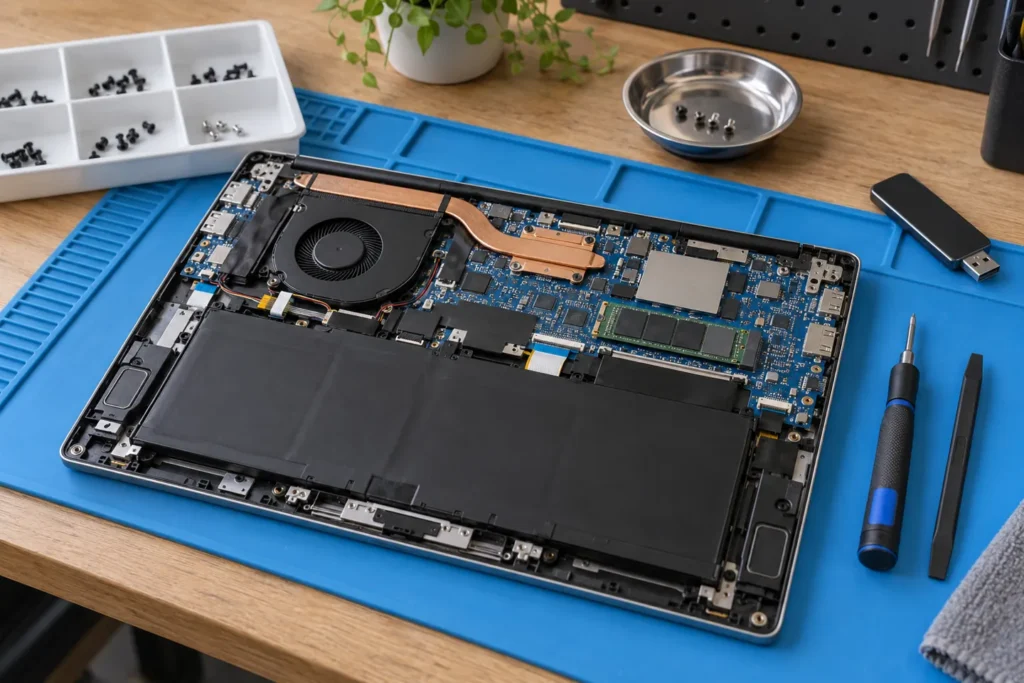
Before booking laptop repair near me, write down the exact symptom and back up anything important if the laptop still starts. A repairer works faster when you bring the charger, model number and a clear fault history instead of a vague “it won’t turn on.”
For local options, start with the computer repair locations hub and compare repairers near your suburb.
Common laptop repairs and what they actually mean
Screen work covers cracked panels, flickering, lines, dim backlights and damaged hinges. Charging faults can be the charger, DC jack, USB-C port or the battery itself. Keyboard and trackpad issues often follow liquid spills or worn membranes. Overheating usually points to dust, failed fans, old thermal paste or blocked vents. Software faults include Windows startup loops, malware, driver problems and profile corruption.
Don’t treat those labels as interchangeable. “It won’t charge” can mean five different parts. “The screen is broken” can mean a panel, hinge, backlight or display cable. See our laptop screen repair near me guide for AU cost bands and what shops need before quoting a panel.
Metro suburbs such as Chatswood, Box Hill or Carindale often have common Dell, HP and Lenovo parts in stock. Rare Ultrabooks and OLED panels can take longer. Ask about lead time before you leave the machine for a week.
Bring the right gear and model details
Bring the charger even if you think it isn’t the problem. If the repairer can’t reproduce the issue with your power adapter, diagnosis stretches out. For business laptops, also bring any docking station or USB-C hub involved in the fault.
Model numbers matter more than brand names. Two Lenovo ThinkPads can use different screens, keyboards and batteries. Check the underside sticker, system settings, original box or invoice. That detail helps the shop say whether parts are commonly available or need ordering.
So label the charger with your name, photograph the serial sticker, and note any existing cracks. Tiny prep steps cut arguments later about what damage was already there.
Back up first when the laptop still starts
Copy important files to an external drive or cloud storage before repair when the laptop still turns on. Don’t keep trying to copy files from a drive that clicks, vanishes or causes freezes. That’s a data recovery situation, not a normal repair job.
- School assignments and coursework folders
- Tax records and photo libraries
- BitLocker or FileVault recovery keys kept separately
Even a quick copy of Documents and Desktop is better than nothing. But if the machine barely boots, stop forcing it. Tell the shop which folders matter most and ask whether they’ll attempt a clone before major work. More on that in data recovery basics.
Shop, mobile or remote for laptop faults
Workshop repair usually suits hardware: screens, batteries, hinges, ports and liquid damage. Mobile support can suit setup, Wi-Fi, printers and small-business laptop fleets that fail with a dock or VPN. Remote support can help with software cleanup, email setup and some Windows problems.
It won’t fix a damaged screen, swollen battery or broken hinge. Unsure which mode fits? Describe the fault honestly and ask whether they recommend remote help, a home visit or a workshop drop-off. A good answer explains why, not just which service they sell.
Typical ballpark figures in Australia often sit around $180–$550 for many screen jobs and $120–$280 for batteries, plus labour. Premium touch and OLED panels sit higher. Confirm after they see the exact model.
Liquid damage needs a different conversation
When the laptop had liquid spilled on it, turn it off and don’t keep testing it. Rice, heaters and repeated charging attempts can make corrosion worse. Tell the repairer what was spilled, when it happened, and whether the laptop was powered on at the time.
With liquid damage, ask whether they inspect the board before powering the device, whether they clean corrosion, and whether your priority is repair, data recovery or both. Coffee and sugary drinks behave differently from clean water. Be honest about the spill type.
Pause and read is it worth repairing my computer before you approve board-level work when the quote climbs toward half the cost of a suitable replacement.
Before you leave the laptop at the counter
Ask whether diagnosis has a fee and whether it’s waived if you proceed. Confirm you’ll approve parts before they’re ordered. Ask how long they keep uncollected devices, how they’ll contact you with findings, and what warranty covers labour and parts.
Remove accessories you don’t want stored with the machine, or list them on the ticket. Note the password arrangement: temporary account, sit-in testing, or password you’ll change after pickup. If Find My Mac or similar locks are active, ask what they need disabled and get confirmation they’ll help re-enable it.
Most laptop repairs go smoother when the shop has the right charger, the exact model, and a clear symptom history. A few minutes of preparation can save days of back-and-forth.
Frequently Asked Questions
How much does laptop screen repair cost in Australia?
Prices vary by model. Many budget panels land around $150–$250 for parts and labour; premium or touch screens cost more. Confirm after the repairer sees the exact model number.
Should I repair or replace an old laptop?
If the repair is a fraction of replacement cost and the machine still meets your needs, repair often makes sense. For slow laptops with failing storage, compare the quote against a new device with a proper backup.
Do I need to back up before laptop repair?
Yes, when the laptop still starts. If the drive clicks or vanishes, stop copying and ask about data recovery first.
Where can I find laptop repair near me?
Start at the computer repair locations hub, choose your suburb, and call repairers who list screen, battery or charging work for your brand.
Do I need to bring the charger to a laptop repair?
Bring it even if you think the charger is fine. Charging faults are common and the repairer needs your adapter to test properly.
When you are ready to shortlist a shop, open live profiles such as Your PC Matters Melbourne, IT Support Services Sydney, Geek Sydney. Compare suburb hubs for Perth computer repairs and Brisbane computer repairs — each page lists stored phones, hours and ratings where we have them, with no invented prices.
By Computer Repairs Near Me Team. Last updated June 2026. About · Find repairers
Sources: See also www.cyber.gov.au for baseline Australian guidance.
Looking for local businesses?
Browse verified listings across Australia with current hours, reviews and contact details.
Related guides


Need a local listing?
Browse verified businesses in our directory or read more guides on the blog.
Find repairers All guides