Apple Computer Repairs Near Me: Mac Repair Checklist

Before booking a Mac repair, check your coverage, identify the exact model and decide whether recovering files is the first priority. Those details help you compare Apple, an authorised provider and an independent repairer.
Use the directory to find nearby businesses, then ask whether they work on your Mac model. For an all-in-one desktop, the iMac repair checklist covers display, storage and transport questions.
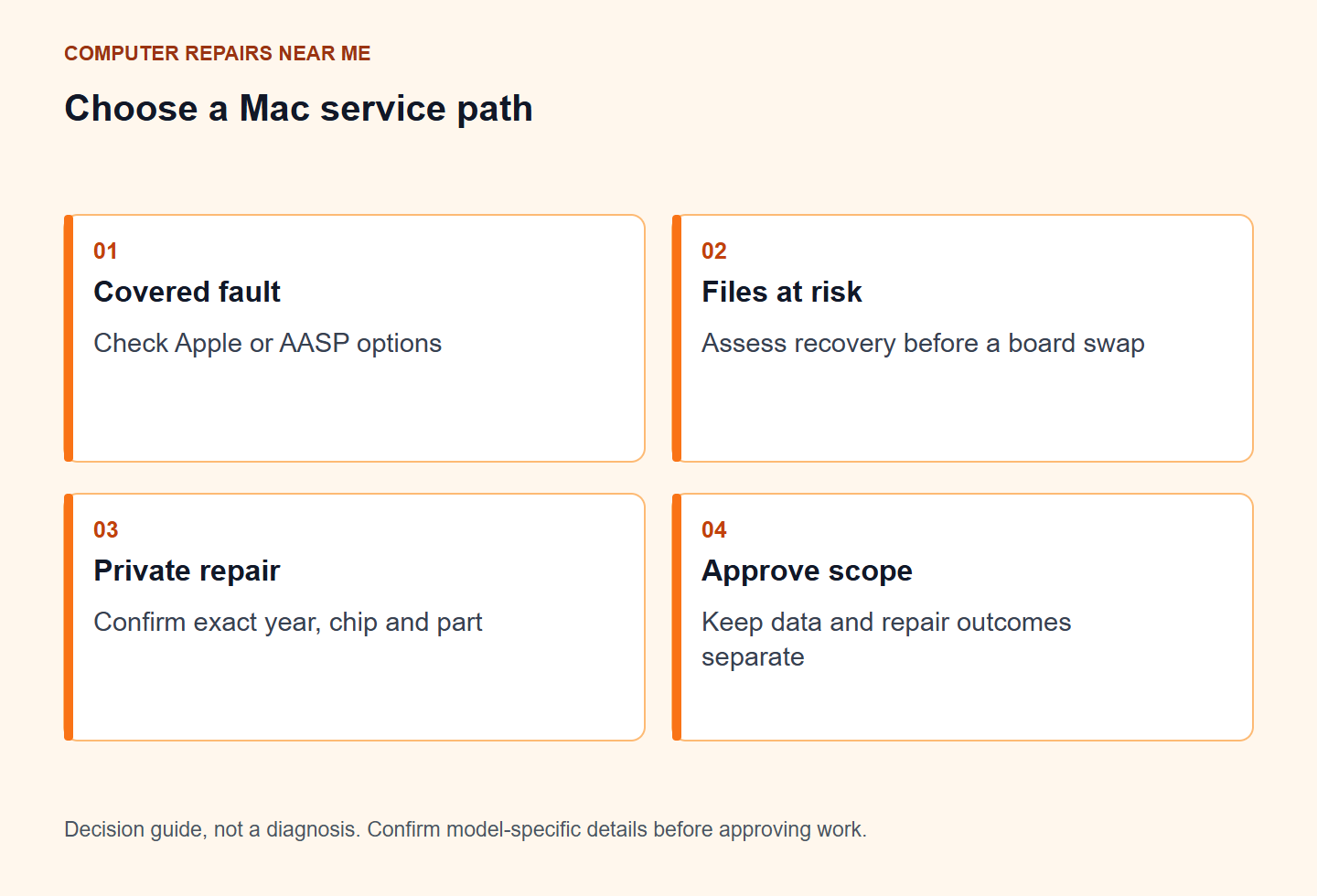
Check AppleCare and warranty before you book
Contact Apple or an Apple Authorised Service Provider about a fault that may be covered. Check the serial-linked entitlement before authorising private work. Australian consumer guarantees apply separately; damage caused by unauthorised work can affect related Apple warranty claims.
If you are paying privately, compare the actual proposed repair, parts condition and written warranty. Confirm whether the provider supports your exact model and intended outcome.
Know your Mac model before you call
Use About This Mac, the underside label or purchase documents to identify the year, chip and model. Those details help the provider check the display, storage layout and available service procedures.
If the Mac will not start, use the external label or purchase records. Describe any spill, drop or startup error and identify files that have no separate backup before approving work.
Common Mac faults local shops see
Mac repair enquiries can involve battery swelling, display damage, liquid exposure, charging faults or startup problems. These symptoms need different assessments. If the trackpad or case is lifting, stop using and charging the machine and obtain safe handling advice.
A charging problem does not identify the failed part. Describe the charger, cable and any damage or liquid exposure. Stop using a damaged or swollen device and ask the provider about safe handling before further tests.
Data first when storage is soldered
Storage layout depends on the Mac model. If the machine will not start and the files matter, say so before agreeing to a board replacement or erase. Make a backup only while the Mac and its storage are safe and stable; otherwise request data assessment first.
FileVault and hardware-backed encryption can affect recovery and testing. Agree the minimum access needed and ask whether supervised unlock is sufficient. A temporary account is not a complete barrier to other files on unlocked storage. Never supply unrelated financial-account credentials.
Independent Mac shops vs authorised service
Apple explains the difference between authorised and independent repair. When paying privately, compare the proposed work, part source, total charge and repair warranty. Ask which configuration steps apply to your exact model.
A general computer-repair listing does not establish Mac or board-repair capability. Ask who will do the work and whether any part of the job is referred elsewhere.
Questions worth asking on the first call
- Do you work on this exact year and chip?
- Will the job affect AppleCare options?
- What part grade will you fit, and what’s the labour warranty?
- Will you preserve data or is an erase possible?
- Is there a bench fee if I decline after diagnosis?
Write the answers down. If two shops give clear model-specific answers and one shrugs, pick from the clear ones. Named Australian offers and quote comparisons sit in our repair cost guide; Apple pathway detail is in independent repair vs Apple Store.
Frequently Asked Questions
Can any computer repairer fix a MacBook?
No. Macs need model-specific parts and different tools. Ask whether they regularly work on your exact MacBook, iMac or Mac mini year and chip type.
Should I use Apple authorised service or an independent?
Check Apple or authorised service for Apple-covered repairs. For private work, compare the exact model, parts, proposed method, data handling and complete quote.
Will Mac repair erase my data?
Some board or OS work does. If your files matter, make data the first topic before you approve parts.
Where do I find apple computer repairs near me?
Browse local repair listings, look for Mac or Apple signals, then call to confirm your model.
Will third-party Mac repair void my warranty?
Apple warranty and AppleCare terms need to be checked for the work. Damage caused by unauthorised service can affect related claims; Australian consumer guarantees remain separate. Contact Apple or the seller before private work if coverage may apply.
By Computer Repairs Near Me Team. Reviewed 2 November 2026. About · Find repairers
Use the manufacturer’s model and service information to check your exact product and coverage. For Australian consumer guarantees alongside warranty terms, read ACCC guidance.
Find a repairer for this job
Check local repairers and ask whether they handle your device and fault.