
E-Waste and Computer Repair in Australia: Repair Before You Replace
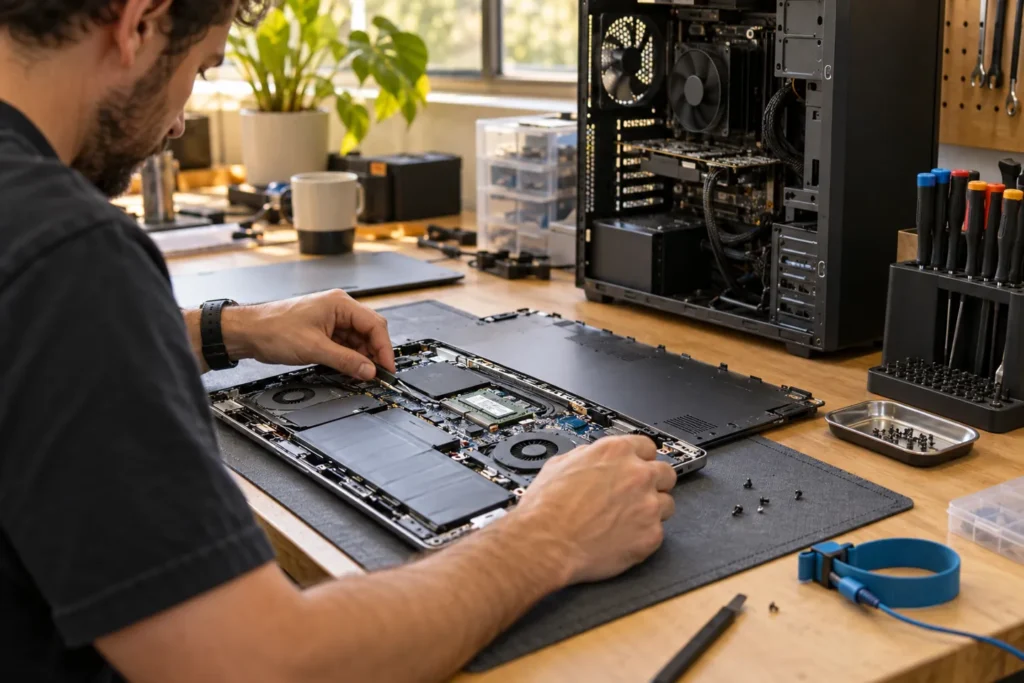
E-waste computer repair Australia is the practical side of sustainability: fix the machine you already own when it’s safe and economical, then recycle properly when it isn’t.
Every laptop that gets another two years from a battery or SSD upgrade is one less device entering the waste stream early. You’re not saving the planet with a cooling pad. You are cutting waste when a real repair works.
For the money decision, use is it worth repairing my computer and laptop repair vs replace decision guide. Find a local tech via our repair directory.
Why repair is usually the greener first step
Manufacturing a new laptop uses metals, plastics, energy and shipping. Extending life with common repairs (battery, storage, fan clean, screen) cuts that footprint more than buying a “greener” new model and dumping the old one. Repair isn’t always possible. Board failure on a seven-year-old ultrabook with soldered storage is often a recycle-or-parts outcome. The order still matters: diagnose, price the fix, then decide.
Typical high-impact, low-waste jobs:
- SSD upgrade on a slow but healthy chassis
- Battery replacement on a three- to five-year-old laptop
- Thermal paste and dust clean for overheating
- RAM upgrade where slots still exist
- Port or charger board repairs that restore daily use
See SSD upgrade computer repair and most common computer repairs for what shops see often. So if the quote for a board exceeds half a sensible replacement, stop stacking hope and plan recycling.
Product stewardship and e-waste schemes
Australia regulates electrical waste through product stewardship frameworks. The main national consumer-facing pathway for televisions and computers has long been the National Television and Computer Recycling Scheme (NTCRS), under the broader product stewardship approach with the Department of Climate Change, Energy, the Environment and Water (DCCEEW).
In plain terms: don’t put laptops, monitors and towers in kerbside landfill bins. Use council drop-off points, retailer take-back where offered, or NTCRS collection sites. Rules and drop-off options vary by council, so check your local government site before you drive across town with a boot full of CRTs.
But stewardship schemes aren’t a free data-wipe service. Remove or destroy storage before you recycle if the drive held personal or business files. Shops can often wipe or shred drives as a paid add-on. Ask before you assume the recycling depot will “sort it”.
Wipe data before you recycle
- Back up anything you still need.
- Use full-disk encryption beforehand when you can, then wipe.
- Prefer a physical destroy or certified wipe for sensitive business drives.
- Don’t gift a “dead” laptop to a neighbour without wiping storage first.
Privacy habits from data recovery privacy Australia still apply at end of life. A drive in e-waste still holds files until someone erases them.
Old phone backups and password exports hide in unexpected folders. Do a quick search for tax years and client names before you destroy the only copy.
When recycling is the right next step
- Written repair quote fails the 50% rule and the machine is obsolete for your software
- Multiple faults stack (board + screen + hinges) on an old chassis
- Swollen battery you’re not willing to replace safely
- Fire or severe liquid damage with no data priority left
Parts harvesting can still happen: working RAM, SSDs and chargers sometimes get a second life. Ask the shop whether they reuse or recycle failed units responsibly. Not every suburb bench is a licensed recycler; many partner with one.
Repair industry and waste reduction
Independent workshops are frontline e-waste reduction even when they don’t brand themselves that way. Every successful battery or SSD job delays a retail purchase. When you book via locations, you’re often keeping labour local and parts out of landfill a bit longer. Cost reality check: computer repair cost Australia.
If a shop offers to recycle your failed unit after a successful upgrade, ask where it goes. Responsible partners beat a vague “we deal with it” answer.
Frequently Asked Questions
Can I put a laptop in the council hard-rubbish pile?
Usually no for e-waste categories. Check your council’s rules. Many run separate e-waste drop-offs.
Do repair shops recycle the parts they replace?
Practices vary. Ask what happens to old batteries and boards. Batteries especially need proper handling.
Is buying refurbished better than repairing mine?
Sometimes. If your chassis needs a board and a refurbished unit costs less with warranty, that’s still better than landfill for your old machine if you recycle it properly.
Where do I start if the laptop is slow but intact?
Get an SSD quote before you replace the whole machine. Start with locations.
Sources: DCCEEW product stewardship
By Computer Repairs Near Me Team. Last updated July 2026. About · Find repairers
Looking for local businesses?
Browse verified listings across Australia with current hours, reviews and contact details.
Related guides


Need a local listing?
Browse verified businesses in our directory or read more guides on the blog.
Find repairers All guides