
Laptop Charging Port Repair: What to Check Before Booking
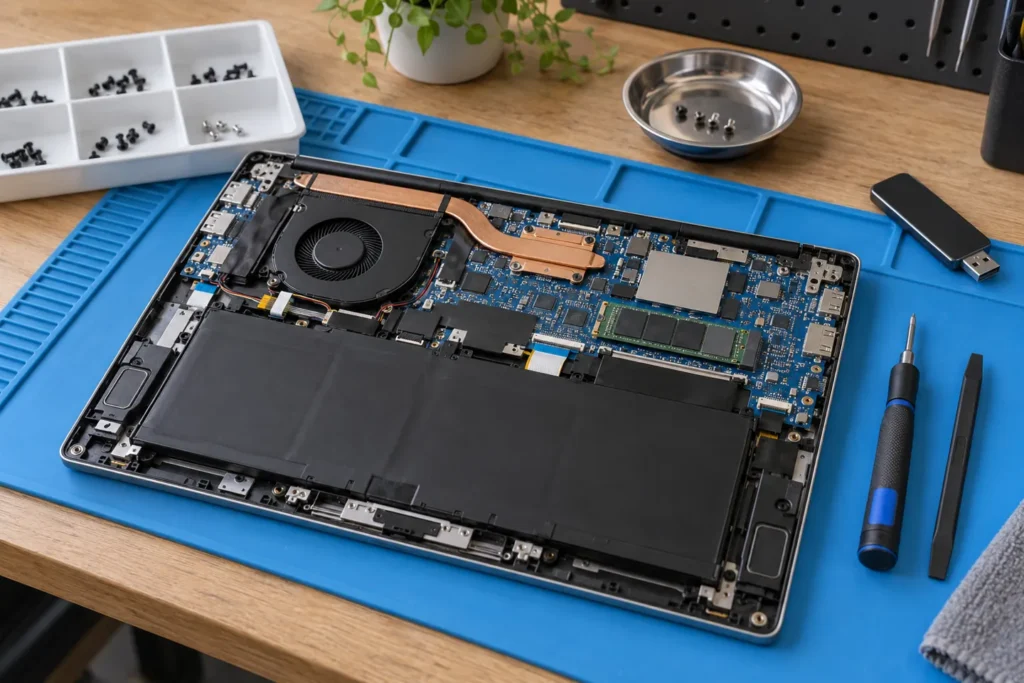
Laptop charging port repair starts with finding which part has failed: the charger, cable, socket or circuitry inside the laptop. A laptop that charges only when you hold the plug at an angle needs attention, but that symptom alone doesn’t prove the socket needs replacing. Ask for a diagnosis before agreeing to a part or a price.
Describe the fault before asking for a price
Give the repairer the full model number, not just “an HP laptop”. Photograph the label underneath and the charger’s output label. Explain whether the charging light comes on, whether the battery percentage rises, and whether the fault started after a drop, spill or change of charger. Mention any intermittent connection without repeatedly moving the plug to demonstrate it.
Those details help a workshop decide what to test and whether it handles that model. “It won’t charge” could lead to several different jobs. A broken socket is one possibility; a failed charger or battery is another. A quoted socket replacement won’t solve a fault elsewhere. If there’s heat, a burning smell, sparking or visible damage, stop using the charger and arrange an assessment.
Ask what the diagnosis will rule out
“The port is broken” needs an explanation. Before authorising parts, ask the technician what they tested, whether a compatible power supply worked, and what they found when inspecting the socket. Don’t substitute a random USB-C charger or a barrel plug that merely fits: check the manufacturer’s power requirements and support instructions for your exact model.
For example, Dell’s Australian support site lets you find model-specific manuals and troubleshooting using a service tag. A repairer should also distinguish a charging problem from a computer that receives power but won’t start. Record what happens when you press the power button so the booking describes the actual fault.
Compare the work included in each quote
The quote should identify the work: replacing a separate socket assembly, repairing a connection on the main circuit board, or something else supported by the diagnosis. Find out where the laptop goes. A workshop that sends board repairs to another business should explain that arrangement, including who you contact about progress and who is responsible for the finished job.
Get the diagnostic charge, parts, labour and GST itemised. Ask what you owe if you decline the repair, what happens if another fault is found, and whether the shop will contact you before exceeding an agreed limit. Compare written descriptions, not just totals. There isn’t a defensible national price for every laptop charging socket: model, damage and repair method matter more than a generic headline range.
Protect your files and agree on access
If the laptop still works safely, back up important files before handing it over. If it won’t turn on, tell the repairer which files matter and ask whether the proposed work could affect them. Don’t assume a hardware job carries no data risk. The ACCC’s repair-notice guidance explains warnings about possible loss of user-generated data and the use of refurbished goods or parts.
Ask what login access is needed for testing and how the shop handles it. Avoid sending your main account password in an ordinary booking message. Our laptop handover checklist covers the questions to settle before the machine leaves your possession. Keep the job receipt and a record of the charger or accessories supplied.
Check the result before collecting the laptop
At collection, request a demonstration. Watch the laptop detect power and check that the battery is charging with the agreed charger; on a model with several charging ports, find out which were tested. Keep the technician’s description of the actual repair with the invoice and warranty terms.
- Model and charger identified on the job record.
- Failed component and repair method explained.
- Final cost and any further work agreed before payment.
- Charging demonstrated and warranty terms supplied.
If the quote becomes expensive, compare it with the laptop’s condition and your needs. A working screen, suitable performance and a healthy battery make a different decision from a machine with several faults. Use the repair-or-replace guide, then find a local computer repairer that can explain the proposed work.
Frequently Asked Questions
Does a loose plug mean the charging port is broken?
It can indicate damage or wear, but the plug, cable and socket need checking. Stop forcing the connector and describe the movement to the repairer.
Can a charging port be repaired without replacing the motherboard?
Sometimes. Ask how the port is attached in your model and whether the fault extends beyond the connector. Get the repair method in writing.
Should I bring the charger to the repair shop?
Ask when booking. Testing the charger alongside the laptop can help identify the fault. Tell the shop if it is damaged and don’t continue using it.
By Computer Repairs Near Me Team. Last updated 2 October 2026. About our guides.
Looking for local businesses?
Browse verified listings across Australia with current hours, reviews and contact details.
Related guides


Need a local listing?
Browse verified businesses in our directory or read more guides on the blog.
Find repairers All guides