
Laptop Repair vs Replace: Compare the Fault, Quote and Replacement
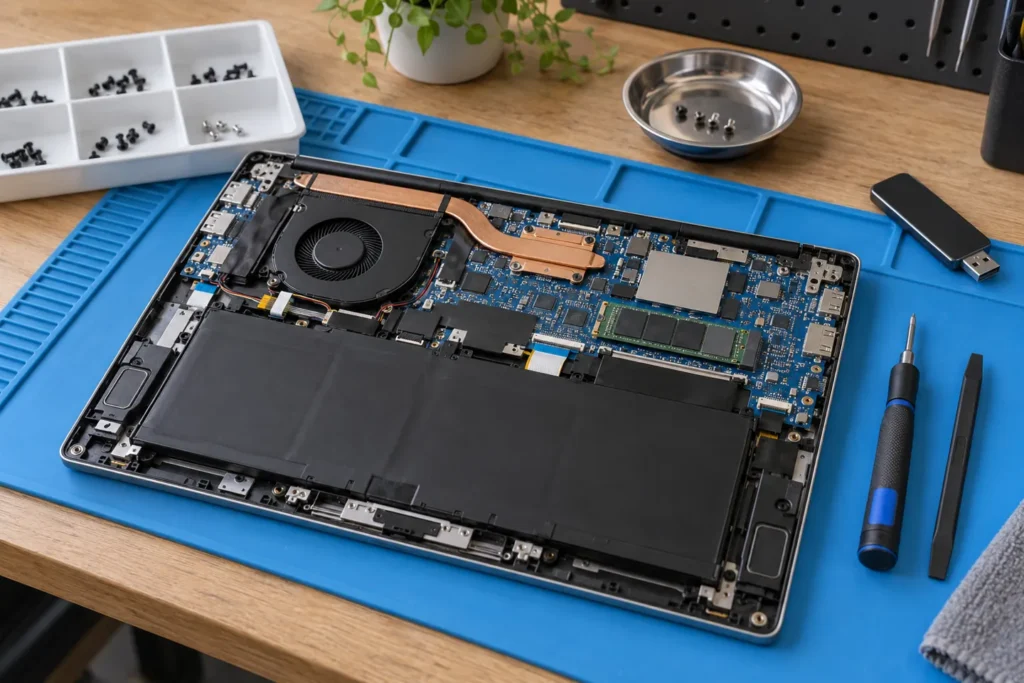
Repair a laptop when the proposed fix addresses a diagnosed fault and leaves you with a machine that can do the work you need. Compare the complete repair quote with a suitable replacement, including setup and data transfer. A blanket “replace after five years” or “repair below 50%” rule can miss the condition of your particular machine.
By Computer Repairs Near Me Team. Updated 2 October 2026. This laptop repair vs replace decision guide focuses on portable computers; our general repair-or-replace guide covers the broader question.
Get a diagnosis before comparing prices
“Won’t charge” is a symptom, not a confirmed battery fault. Ask the repairer what they tested, which component they believe has failed, and whether the quoted work is expected to resolve the problem completely. A price for a replacement part is hard to assess without that explanation.
Request a written quote that separates diagnosis, parts and labour. Ask whether the diagnostic fee is credited towards the repair, whether the price includes GST, and whether further work needs your permission. Record the estimated completion date and what happens if the diagnosis changes after the machine is opened.
Use our no-fix-no-fee checklist when that phrase appears in an offer. Confirm the actual exclusions before handing over the laptop. A repair attempt, a successful data recovery and a fully working computer are different outcomes.
Check rights and software support first
Before paying privately, contact the Australian seller about a possible warranty or consumer-guarantee remedy. The ACCC explains that warranties operate alongside consumer guarantees; an expired manufacturer’s warranty doesn’t by itself settle your rights. Keep the receipt, fault description and correspondence. The appropriate remedy depends on the circumstances.
Then list the software you must run: your employer’s security tools, study applications, accounting package or specialist programs. Check their current system requirements and the operating-system vendor’s support information. Restoring the hardware won’t automatically make an unsupported operating system suitable for those tasks.
For Windows, consult Microsoft’s Windows 10 support guidance and check upgrade or extended-support eligibility for your exact machine. Don’t assume every old laptop can run a newer version, or that a paid support arrangement applies to your edition.
Compare two complete options
| Repair option | Replacement option |
|---|---|
| Diagnosis, part and labour | A laptop that meets your actual requirements |
| Other known faults left after repair | Required accessories, ports or adapters |
| Time without the machine | Setup, software licensing and migration |
| Repair warranty and remaining software support | Warranty, condition and support of the replacement |
Here is a hypothetical comparison, not a market price estimate. A $280 repair plus a separately needed $150 battery totals $430. A suitable $900 replacement plus $100 of setup totals $1,000. The next question is whether the repaired laptop still meets your needs and whether any other faults remain. The percentage alone cannot answer that.
Compare against a replacement you’d actually buy. Using the price of a premium new laptop to justify repairing a basic machine inflates the apparent saving. Equally, a very cheap replacement that cannot run your required software isn’t a useful alternative.
Separate saving your files from saving the laptop
Tell the repairer which files matter and what backups you have before authorising work. Ask whether the proposed procedure could erase or replace storage, and whether data transfer or recovery is included. Don’t assume “repair” includes restoring all your applications and accounts.
If the laptop still works reliably enough to back up, verify that you can open the copied files before approving a reset. If the storage is failing, ask for a data-recovery assessment before repeated troubleshooting attempts. A replacement laptop solves the hardware problem but doesn’t recover files that exist only on the old machine.
For an employer-owned laptop, use the organisation’s IT process before giving a third party access. If you choose replacement, arrange data handling before resale or recycling. Our computer recycling guide covers that next step.
Frequently Asked Questions
Is a five-year-old laptop worth repairing?
Age alone doesn’t decide it. Check the fault, supported software, condition and total quote. A laptop with a single replaceable fault presents a different decision from one with several unresolved problems.
Should I replace it if repair costs half as much?
Use half the replacement price as a prompt to look closely, not an automatic cutoff. Include setup costs, remaining faults and the work the repaired machine will need to do. Ask for a second diagnosis if the proposed repair is unclear.
Can I get my files without repairing everything?
Ask for that as a separate job. Feasibility depends on the storage, encryption, access credentials and fault. Get a clear description of what data can be recovered or transferred before agreeing to a price.
Compare repairers through our locations directory, including Brisbane and Melbourne. Keep the written diagnosis when requesting another quote.
Looking for local businesses?
Browse verified listings across Australia with current hours, reviews and contact details.
Related guides


Need a local listing?
Browse verified businesses in our directory or read more guides on the blog.
Find repairers All guides