Monitor Screen Repair Near Me: Fix, Power Board or Replace

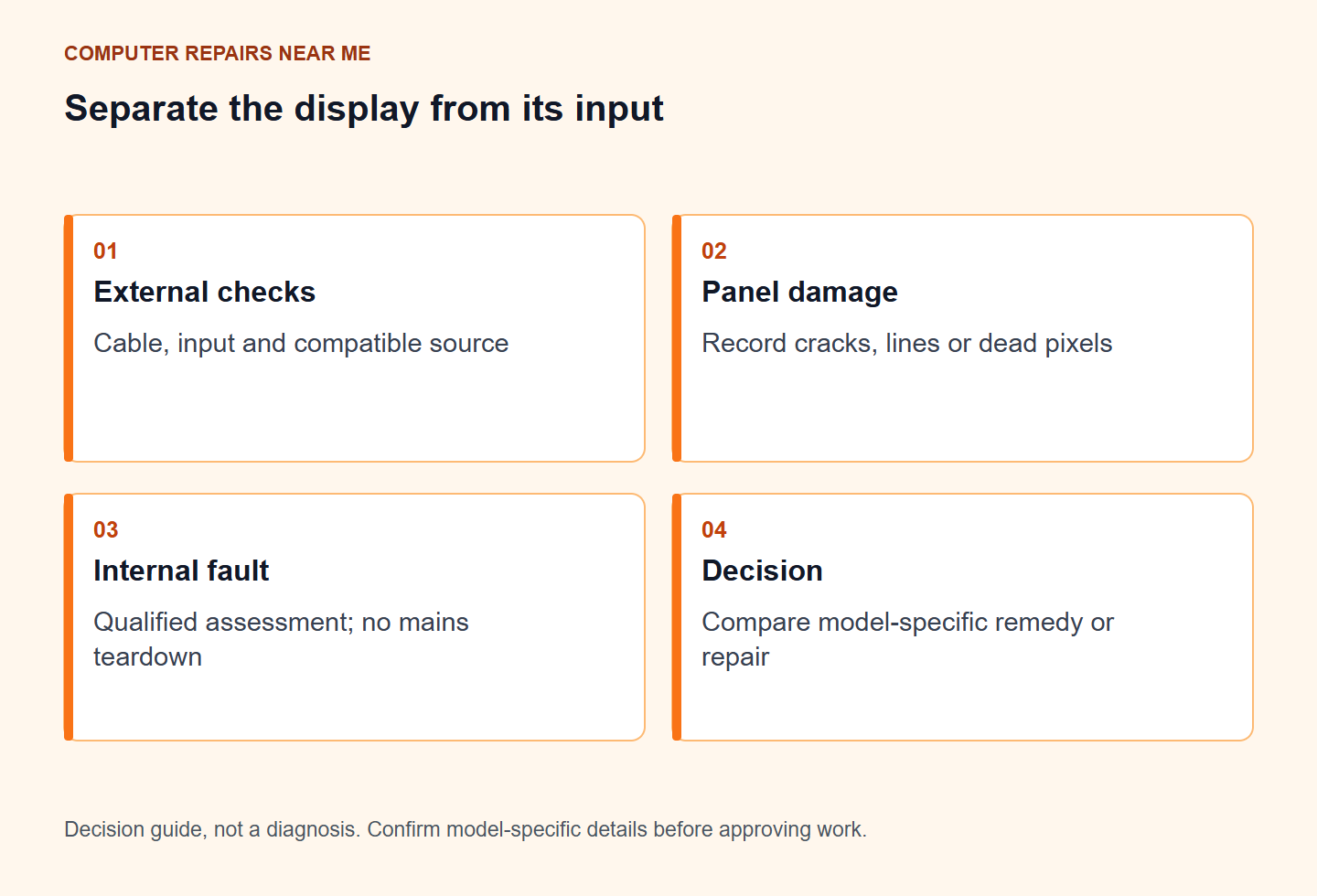
If a desktop monitor has a cracked panel, lines, a dim image or no display, record the model and what happened before the fault. External power or input problems and internal damage need different checks. Compare a diagnosed repair with a suitable replacement rather than choosing from the symptom alone.
Start with repairers from the location hub. For laptop displays see laptop screen repair near me.
What can actually be repaired on a monitor
A panel, backlight, power board, signal board or connector may be involved, depending on the design. No power does not identify a failed capacitor, and a faint image does not by itself establish the repair method. Describe what you can observe without opening the case and ask for a diagnosis before ordering parts.
For a damaged HDMI or DisplayPort socket, ask which assembly is affected and what repair is proposed. Include assessment, parts and labour when comparing the quote with a display that has the features you need.
Repair vs replace for Australian desks
Compare the model-specific repair quote with a suitable replacement, including any required display features. This page does not establish current retail or workshop price bands. Check the seller’s consumer-guarantee pathway before paying for private work.
For a hypothetical comparison, a modest power-board repair on a valuable display may be sensible while an expensive panel swap on a basic monitor may not. Use real matched quotes, check the seller’s remedy pathway and include the features you actually need in the replacement comparison.
Symptom cheatsheet before you call
Scroll sideways if needed to read all columns.
| Observation | Report before booking | What remains uncertain |
|---|---|---|
| Black screen, power LED off | Outlet/cable checks made safely | External supply, connector or internal fault |
| Black screen, LED on | Selected input and cable/source tested | Signal path, panel or internal electronics |
| Lines or flicker | Whether the menu/self-test also shows it | Source/cable versus display fault |
| Crack or impact mark | Model and photograph without pressing glass | Available panel and complete fitted scope |
| Fixed bright/dark points | Model and manufacturer pixel-test result | Applicable product remedy and panel policy |
Before booking, check the selected input and a compatible external cable/source if safe. Use the model’s built-in test where its manual provides one; Dell’s monitor guidance illustrates why external power, signal and diagnostic checks are separate. Record the rear-label model and symptoms. Do not open a monitor or its power supply: mains circuitry can retain dangerous charge. Ask whether the business services monitors, not just laptop screens.
What to ask the shop (monitor-specific)
Do you repair monitors, or only laptop screens? Is the quote for power-board work or a full panel? Diagnostic fee if I decline? Warranty on labour? Typical parts lead time for this brand? Can you test with my HDMI or DisplayPort cable?
Data-safety questions from laptop checklists don’t apply the same way, but keep accessories listed on the ticket. If the monitor is under manufacturer warranty, check that path before opening the case yourself or via an indie shop.
Dead pixels, warranties and workplace screens
Pixel policies differ by manufacturer, model and pixel type. Dell’s pixel guidance distinguishes defect types and warns against pressure or unsupported software fixes. Read the applicable policy and contact the seller about consumer guarantees; a published pixel allowance does not determine every statutory claim. Do not pay for an unsupported promise to “laser” a pixel into working.
For a workplace monitor, obtain IT approval before arranging third-party service. Include any required display features and connections when comparing repair and replacement.
When a local repairer is still the right call
A specialist electronics repairer may be useful when it supports the exact monitor and can explain the diagnosed component and repair limits. Compare required features, parts availability and the total with replacement. If replacement wins, arrange responsible e-waste collection and clear saved settings or accounts where the model has them.
Browse repairers by suburb, mention “monitor power board” or “panel lines” on the call, and skip shops that only quote laptop lids if your chassis is a desktop display.
Frequently Asked Questions
How much does monitor screen repair cost in Australia?
Get a quote for the diagnosed component and exact display. Assessment, parts and labour can differ greatly, so this guide does not provide a universal fitted-price range.
Do computer repair shops fix monitors?
Confirm that the business services desktop monitors and supports your exact model. A laptop-screen service does not establish monitor capability or panel stock.
Is a monitor with dead pixels worth repairing?
Check the seller’s consumer-guarantee route and the applicable manufacturer pixel policy first. A defective panel may need replacement, but coverage and the fitted quote need model-specific assessment.
Can backlight failure be fixed?
A repair may be possible, but a faint image alone does not confirm the failed part. Ask for a model-specific diagnosis and written quote before approving work.
Where can I find monitor screen repair near me?
Browse repairers by suburb and mention your monitor model on the first call.
By Computer Repairs Near Me Team. Reviewed 2 November 2026. About · Find repairers
Find a repairer for this job
Check local repairers and ask whether they handle your device and fault.