
Microsoft Surface Repair in Australia: Options Outside the Microsoft Store
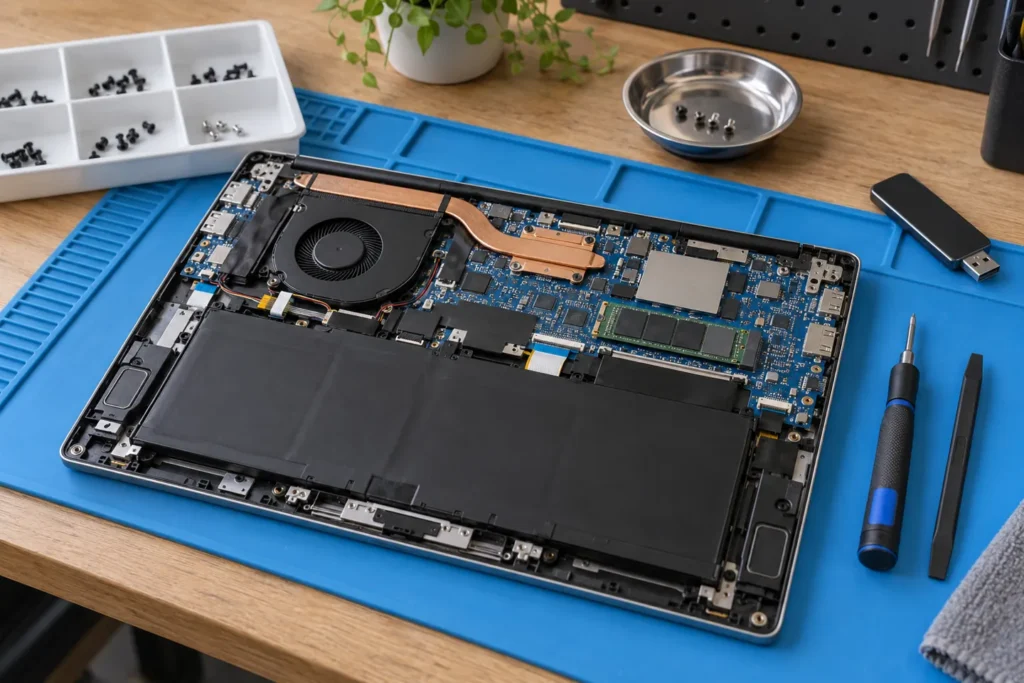
Microsoft Surface repair Australia can go through Microsoft’s warranty courier, or through an independent bench that stocks Pro, Laptop and Go parts and will image storage before opening the chassis.
Age, damage type and whether you need the files this week decide the path. Surfaces are glued, compact machines. Fussier than a ThinkPad. Not impossible.
Check coverage at account.microsoft.com/devices, then pick a repairer from the computer repair locations hub.
Common Surface faults we see
Most Surface jobs that walk into an Australian shop aren’t mystery software. They’re physical. A cracked or flickering screen after a bag crush. A battery that swells the kickstand or won’t hold a full workday. A Type Cover that stops registering keys after a coffee splash. A Surface Connect port that only charges at a certain angle. Firmware that bricks the tablet after a Windows update on older storage.
Liquid and a bent magnesium frame change every quote. Power it off. Don’t charge it. Get it on a bench within a day or two. Waiting in a wet sleeve is how corrosion wins.
Need the model? Settings, System, About. Surface Pro 7 and Pro 9 look similar in photos. They aren’t identical inside. The digitiser, battery pack and storage layout change by generation. Call with that model string, not “a Surface”.
Microsoft warranty and authorised service
New units ship with Microsoft’s limited warranty. Accidental damage isn’t covered unless you bought Microsoft Complete or a similar plan. Check the device page before you pay a third party. The Australian flow is often courier pickup, a swap or refurb, and return shipping measured in days to weeks.
Students mid-semester feel that delay even when the price is fair. Out of warranty, Microsoft’s quoted repair can approach a refurbished replacement. Compare both numbers. Ask whether you get the same serial back. A swap can wipe the tablet you sent.
Say so on the ticket if your files only live on that SSD, before they process a replacement. Warranty work is still a service. Australian Consumer Law can still apply if the repair fails shortly after return.
Independent Surface repair shops
Specialist independents keep screens, batteries and charging assemblies for popular generations. They can beat courier loops and may image the SSD before the chassis comes apart. That matters if OneDrive didn’t sync last night’s assignment.
| Repair type | Independent shop notes |
|---|---|
| Screen replacement | Ask LCD vs OEM-grade parts and labour warranty; glued glass tears if rushed |
| Battery | Swollen cells need ESD-safe handling; don’t delay a kickstand that won’t sit flat |
| SSD / data | Many newer Surfaces solder storage; recovery may be board-level |
| Type Cover | Usually replaced as a unit, not key-by-key |
Ask whether the shop has opened your exact model. Metro benches in Sydney, Melbourne and Brisbane see more Surfaces than a mixed PC shop in a small town. Get labour warranty in writing, commonly 30–90 days on screens.
When the tech wants to “just try a cheaper panel”, ask what happens if colour shift or ghosting shows up after a week. Battery work should mention an ESD mat and a proper disconnect sequence, not a kitchen-table pry. That’s a fair question, not rudeness.
When should you repair a Surface vs replace it?
If a quote exceeds roughly half the cost of a comparable new or refurbished device, pause. Exceptions exist. Files trapped on soldered storage. A high-spec Surface Book you still use for pen input. A work-issued unit IT won’t replace until the next cycle. Those aren’t vanity reasons. They’re why people pay for a $400 screen on a four-year-old Pro.
But a $700 out-of-warranty logic-board job on a Surface Go you bought used is rarely the sensible path. Walk away. Australian Consumer Law still applies to paid repairs; the ACCC consumer guarantees page is the starting point if a “fixed” Surface dies a week later.
Our laptop repair vs replace guide frames the maths. For cost bands across brands, see computer repair cost Australia. Don’t invent a “Microsoft certified” badge the shop never showed you. Ask for invoice line items instead.
Before you hand over a Surface
Disable Find My Device. Back up OneDrive and local files. Remove the Type Cover and note serials for insurance. Photograph cosmetic damage so return condition isn’t disputed. Ask about diagnostic fees and turnaround in writing, including whether the fee is credited if you proceed.
If BitLocker is on, you need the recovery key. Shops that “just reset it” without asking are a red flag for data. Tell them whether the job is data-first or hardware-first. Those are different workflows. A same-week screen swap that skips imaging is fine if you’ve already synced. It’s a disaster if the only copy of a thesis is on that soldered drive.
More detail: before you hand over your laptop and independent vs manufacturer repair. Many principles overlap even though Surfaces aren’t Macs.
Finding help near you
Not every suburban shop stocks Surface parts. Search the locations hub for repairers in your city, then call with the exact model number. Regional customers may mail in under insured courier. Ask who pays if the parcel is damaged in transit.
For urgent software-only issues, remote support might unblock you while parts ship. Remote won’t replace a swollen battery or cracked glass. Don’t book a $90 remote session for a hardware fault the tech can’t touch. If the listing says mixed shop and on-site, confirm they actually open Surfaces, not just Dell towers.
Yet a local bench that has done three Pro 8 screens this month will still beat a national ad that promises “all brands” and then orders a panel from overseas with no ETA. Call two shops. Compare the model-specific answer, not the Google star count alone.
Frequently Asked Questions
Can I fix a Surface screen myself?
DIY kits exist but thin displays tear easily and adhesives are tricky. A bad home job often costs more to undo. If you’ve never opened a glued tablet, this isn’t the first project. Heat guns and plastic picks look simple on YouTube. One slip through the digitiser and you’ve bought two panels.
Does independent repair void Microsoft warranty?
Unauthorised opening can affect remaining warranty coverage. Check Microsoft’s policy and your device status before proceeding. If you’re still in the limited warranty window and the fault is covered, use Microsoft’s path first. Independent makes more sense once that window is closed or the damage is accidental and uninsured.
How long do Surface battery repairs take?
With parts on hand, many shops quote one to three business days. Courier warranty paths are usually slower. Swollen batteries shouldn’t wait in a bag by the bed. If the kickstand won’t sit flat, treat it as urgent even if the machine still boots.
Summary
Microsoft Surface repair in Australia spans warranty courier service and faster independent benches for screens, batteries and charging faults. Compare quotes. Protect your data first. Use our locations directory to find shops that work on your model, then ask about parts grade, ESD handling on batteries, and labour warranty before you leave the tablet on the counter.
Tell Microsoft on the ticket if a swap would wipe the only copy of your files. If an independent quote is half a new device and you don’t need the pen or the data, walk. That’s the whole decision, minus the marketing.
When you are ready to shortlist a shop, open live profiles such as SimSim Repairs Melbourne, Your PC Matters Melbourne, IT Support Services Sydney. Compare suburb hubs for Melbourne computer repairs and East Melbourne computer repairs — each page lists stored phones, hours and ratings where we have them, with no invented prices.
By Computer Repairs Near Me Team
Looking for local businesses?
Browse verified listings across Australia with current hours, reviews and contact details.
Related guides


Need a local listing?
Browse verified businesses in our directory or read more guides on the blog.
Find repairers All guides