Computer Won’t Turn On: What to Try Before You Call a Repairer (2026)
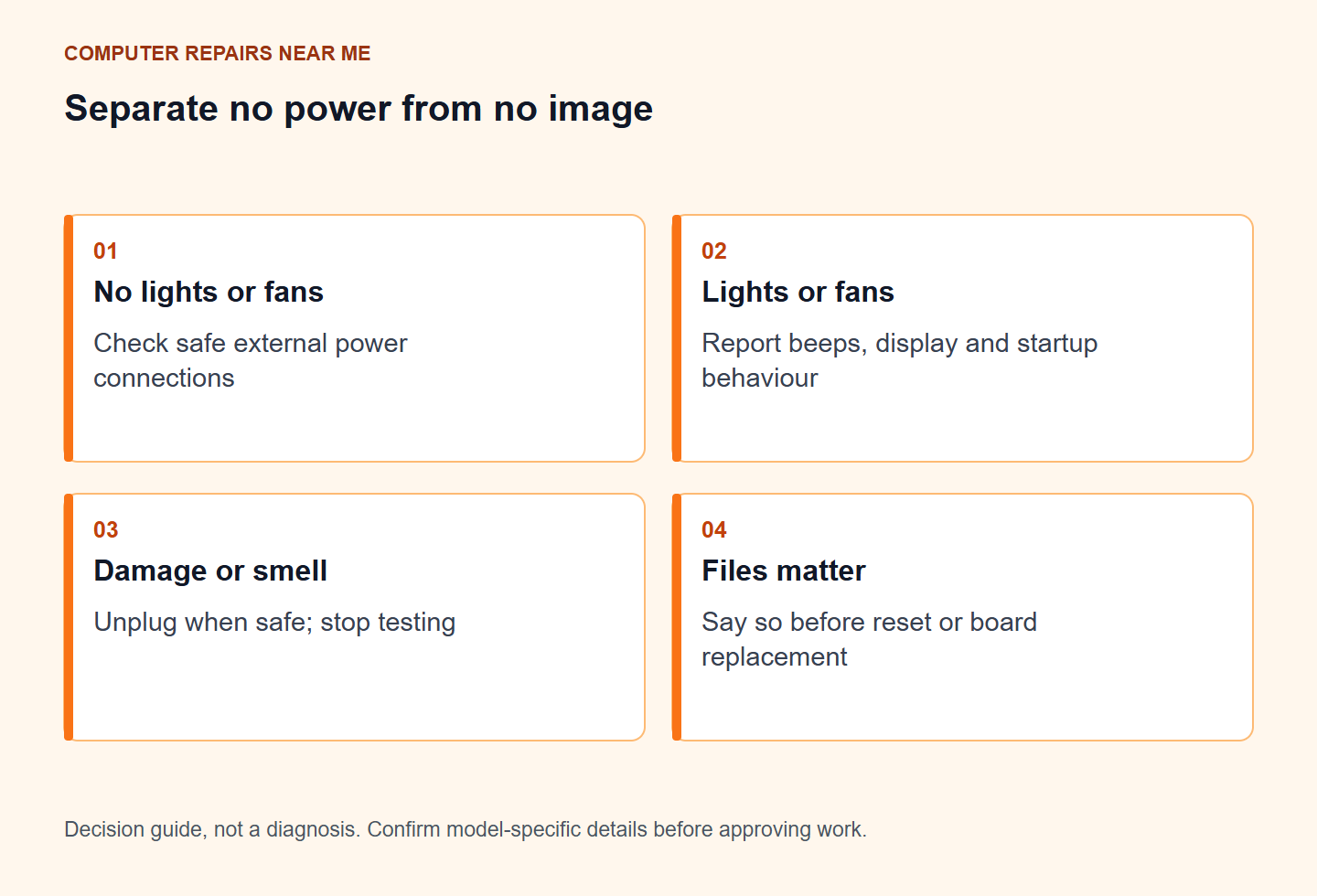
If the computer shows no lights or fans, first distinguish a power problem from a blank display or failed startup. Stop testing if there is liquid damage, swelling, smoke or a burning smell. Otherwise follow the manufacturer’s safe external checks for the exact model before booking an assessment.
Desktop-specific faults: PC repair near me. Portables: laptop repair near me. Gaming towers: gaming PC repair.
Desktop PC: no lights, no fans
- Confirm the wall socket works (lamp or phone charger test).
- Reseat the power cable at the PSU and wall; check the rear PSU switch is on.
- Try an undamaged, correctly rated compatible power lead if the manufacturer permits it. Do not substitute an adapter or connector that merely fits.
- Strip USB devices and external drives; a shorted USB port can prevent boot.
- Use only the manufacturer’s model-specific power-reset procedure; timings and battery steps differ.
Still dead after safe external checks? A PSU, motherboard, switch or another fault may need assessment. Do not open a power supply or power adapter; dangerous voltages can remain inside. Leave component swaps to a competent person using the exact model’s service instructions.
But if you smell burnt electronics or see scorch marks near the PSU, leave it unplugged. That’s a workshop job, not a “maybe the cable” job.
Laptop: no response when you press power
- Before connecting power, stop if there was a spill, swelling, smell or visible damage. Otherwise use only a compatible adapter and the manufacturer’s model-specific no-power instructions.
- Try a different wall outlet; inspect the charging port for looseness or burn marks.
- Remove external monitors and USB hubs.
- If the manufacturer provides a tool-free removable-battery reset for your model, follow those exact instructions. Do not open the case or detach an internal battery as a routine no-power test.
- Listen for a faint fan spin or USB light flicker; “dead” sometimes means “display only”.
No charging LED with a known-good charger? Suspect the port, board or battery path. Don’t force a bent USB-C plug harder. You can destroy the socket.
Fans spin but there’s no display
Fans with no image is different from no power. Check the monitor’s selected input and external cable if safe. Report any external-display test without treating it as proof that the GPU or panel is healthy. Internal RAM reseating requires model instructions, power/battery precautions and suitable skills; it is not a prerequisite for booking.
Write down any beep or flashing-light pattern and whether the display ever shows a logo. These observations help distinguish power, startup and display symptoms; they do not by themselves identify the failed component.
When to stop DIY and book repair
- Burning smell, smoke, or tripped safety switch
- Liquid spill, even if it “dried overnight”
- Laptop swollen at the bottom (possible battery)
- You’ve confirmed power at the wall and the machine still shows no life
- Data on the internal drive matters and you’re tempted to keep power-cycling a clicking disk
Bring the charger, note recent events (storm, drop, update), and ask for a written diagnostic fee policy. Fee language: no fix no fee explained. Quote comparison: computer repair cost Australia.
Photograph the connections before unplugging equipment. Tell the repairer about any storm, spill, damaged cable or hardware change that preceded the fault.
What shops test on a no-power job
Expect power-rail checks, known-good PSU or charger tests, board inspection, and sometimes current-draw measurement. Laptops may need the bottom cover off before anyone can say “port” vs “board”. Ask whether they’ll image the drive if the board is dead but storage might still be readable. A dead laptop isn’t always a dead hard drive or SSD.
Ask whether diagnosis includes a short written findings note. “No power rail on motherboard” is clearer than “needs more work” when you are deciding repair vs replace.
Frequently Asked Questions
Can a power surge kill a PC without visible damage?
Yes. Boards can fail with no scorch you can see. Surge protectors help but aren’t magic after a direct hit.
My laptop works on charger but not battery. Is that “won’t turn on”?
That’s usually a battery or charging-circuit fault, not a fully dead machine. Still worth booking; bring the charger.
Should I open a laptop power brick myself?
No. Mains voltages inside can be dangerous. Replace the brick or let a shop test it.
Where do I find computer won’t turn on repair near me?
Start with locations and describe whether you get lights, fans, beeps or total silence.
By Computer Repairs Near Me Team. Reviewed 2 November 2026. About · Find repairers
Find a repairer for this job
Check local repairers and ask whether they handle your device and fault.