Virus and Malware Removal Near Me: What to Do First (2026)
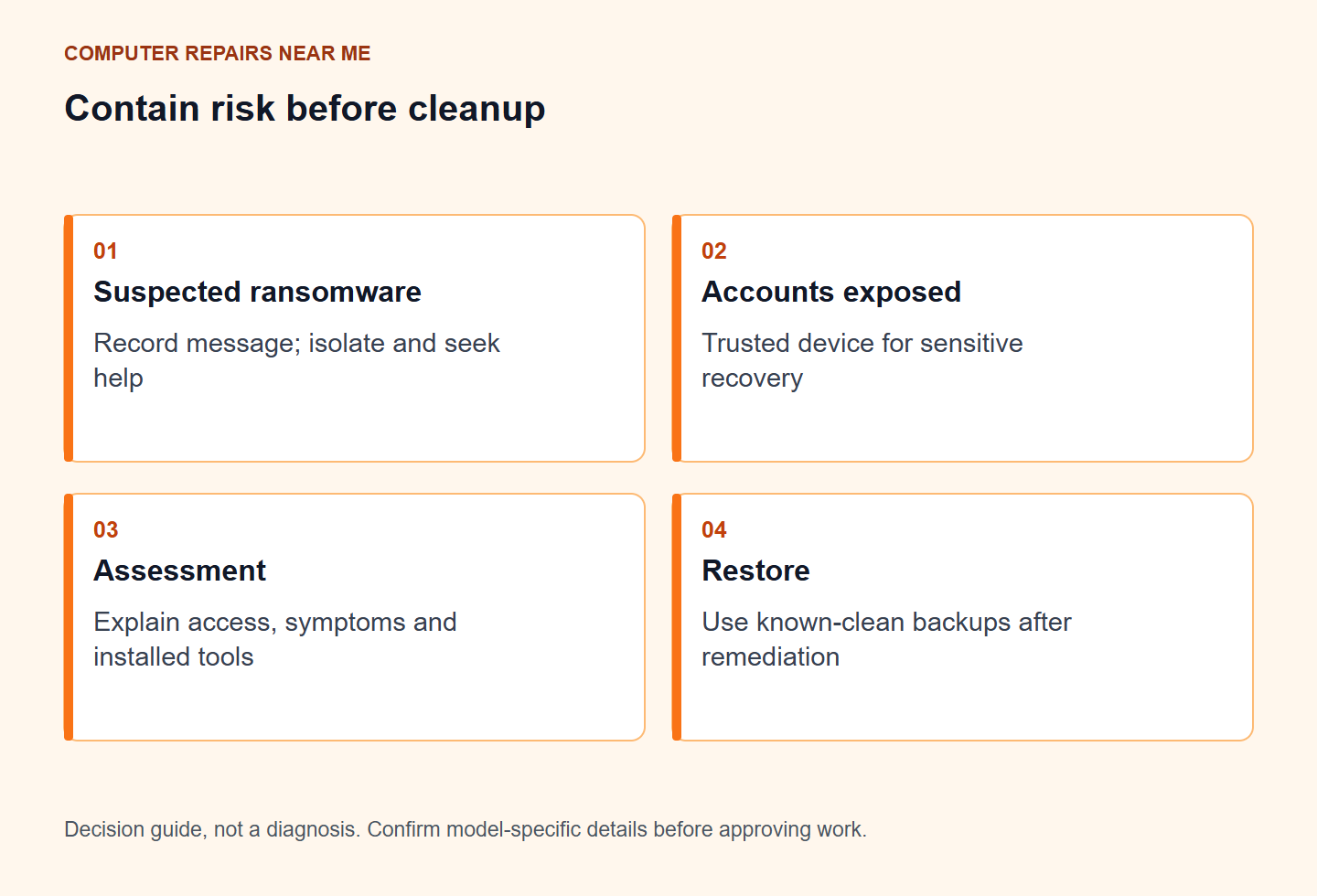
Pop-ups, locked files, unknown extensions and sudden slowness can have different causes. Before installing a cleaner or granting access, record the message and what happened. Suspected ransomware or account theft needs containment and trusted-device recovery before ordinary troubleshooting.
For an ordinary browser problem, ask a provider whether deliberately booked remote support is suitable. For suspected compromise, explain what happened and confirm incident-response capability. A listing in the directory does not establish that expertise.
Warning signs to record
These observations are clues, not diagnoses. A browser warning, camera indicator or unknown application alone does not prove an infection.
- Adware / browser hijack: new homepage, toolbars, redirects, fake virus alerts in the browser.
- Spyware: unknown remote-access tools, webcam LED on unexpectedly, accounts accessed from new locations.
- Ransomware: files renamed or encrypted, ransom notes on desktop or in folders.
- Scam calls: someone claiming to be Microsoft or your ISP; they ask for remote access or payment.
Ransomware needs a different response from an ordinary browser notification. The ACSC advises never paying a ransom: payment does not guarantee access or prevent disclosure of stolen information. Contact appropriate support and report the incident. For an unsolicited support call, hang up and obtain help through a channel you choose.
First steps before calling a repairer
- Disconnect from Wi-Fi or ethernet if you suspect ransomware or account theft (after noting the ransom message).
- Change passwords from a clean device for email, banking and social accounts if you entered credentials on a suspicious page.
- Do not connect a backup drive to a suspected infected device. Get advice about safely recovering files and checking backups.
- Write down exact symptoms: which browser, which pop-up text, when it started.
- Don’t enter credit card details into pop-up “activation” windows.
For suspected ransomware, quickly record the message, turn off the infected device and disconnect other devices as directed by ACSC ransomware-response guidance. Use a separate trusted device to seek help and recover sensitive accounts. Do not connect your usual backup until it is safe, or assume a file that opens is free of malware.
Avoid installing extra cleaners while waiting for advice. Record any tools already used, because changes to the device can affect investigation and recovery.
Agree what the assessment and cleanup cover
Ask the provider what it will assess: browser settings, installed tools, account exposure and any signs of persistence. Agree file recovery and backup checks before a reset or reinstall. A clean scan alone does not establish that stolen credentials are safe.
The named offers in our computer repair cost guide illustrate different terms. Obtain a scoped assessment and total for the actual problem; an ordinary browser-service offer does not cover every incident-response task.
Remote vs shop vs on-site
Choose the service mode after explaining the incident. A stable computer with an ordinary browser issue may suit a booked remote session. An offline or unstable machine may need physical assessment. A business incident should follow the organisation’s IT process, including any decision to take a device out of service.
After cleanup: protect accounts and recovery copies
- Turn on automatic updates for Windows or macOS
- Use a password manager and unique passwords
- Enable MFA on email and banking
- Be suspicious of “your PC is infected” pop-ups and cold calls
- Keep a protected backup and test that it can be restored safely
For suspected business-email compromise, coordinate account recovery with the organisation’s IT team. The ACSC recovery guide covers access, unfamiliar rules and connected applications as well as passwords.
Frequently Asked Questions
Can I just reset Windows myself?
A reset can erase files or applications and may leave account compromise unresolved. First establish what information must be recovered and what backup is known to be clean. Follow manufacturer instructions and get help where the infection or recovery scope is uncertain.
Is built-in Windows Security enough?
Keep the operating system and security software supported and updated. No single scanner can authenticate a caller, recover stolen money or settle every account-compromise concern.
Should I pay the ransom?
Never pay a ransom. Payment does not guarantee recovery or prevent disclosure. Record the message quickly, turn the affected device off and seek help through the ACSC response guidance linked above.
Where do I find virus removal near me?
Use locations, and prefer shops you contacted yourself over numbers from a pop-up or a phone call.
By Computer Repairs Near Me Team. Reviewed 2 November 2026. About · Find repairers
Find a repairer for this job
Check local repairers and ask whether they handle your device and fault.