
MacBook Liquid Damage Repair Australia: Steps and Costs
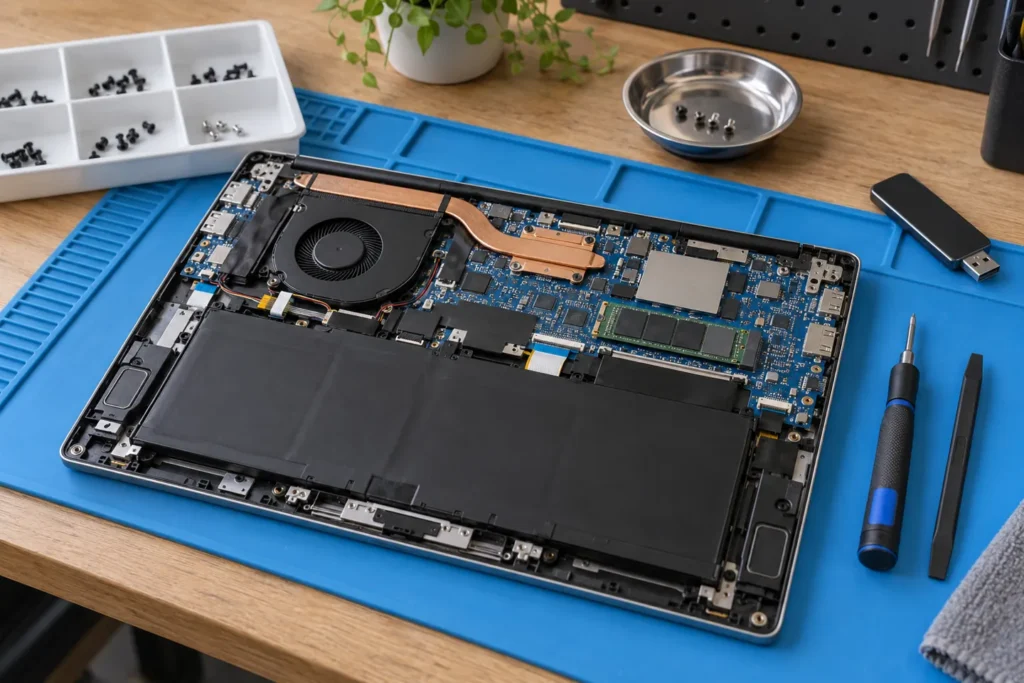
MacBook liquid damage repair Australia starts the second liquid hits the keyboard: power off, unplug everything, tip the Mac open upside-down to drain, and don’t turn it back on to “test”. Corrosion keeps going after the outside looks dry. Coffee and soft drink are worse than plain water.
Skip rice and hairdryers. Get a shop to open and clean it within about 24 hours if you can. Find Mac-capable listings via /locations/, and read Apple computer repairs near me for pathway context.
What to do immediately after a spill
Hold the power button until the MacBook shuts down. Don’t wait for a polite macOS quit. Unplug the charger and every USB or Thunderbolt device. Prop the laptop open upside-down in an inverted V so liquid can drain away from the board rather than deeper into the hinge area.
Even if it looks dry, don’t power on to check Messages. Powering a wet board is how small spills become permanent shorts. Take it to a repair shop within a day when you can. Rice leaves dust in ports; hairdryer heat can warp plastics and push liquid further in.
What shops actually do during liquid repair
A proper Mac liquid job means full disassembly, isopropyl or ultrasonic cleaning of residue, inspection of keyboard, trackpad, battery and ports, then functional testing before any parts order. Success depends on how fast you acted, what was spilled, and which rails already corroded.
Sugary drinks leave sticky films that keep eating contacts. Water is still serious, but coffee and juice usually look uglier under the board. Ask for photos of the corrosion if you’re deciding between cleaning-only and a board quote. Honesty here beats a cheerful “she’ll be right” on day one.
Soft cost bands for Australian MacBook spills
| Scenario | Typical AUD range |
|---|---|
| Diagnostic and cleaning only | $100–$200 |
| Keyboard replacement (many 2018+ glued tops) | $350–$650 |
| Logic board clean and minor repair | $200–$400 |
| Logic board replacement (older models) | $500–$1,200 |
| Multiple parts (board + keyboard + battery) | $800–$1,800+ |
Apple Authorised pricing often sits higher. Independents can be cheaper but may use third-party parts. If you bought AppleCare+ before the spill, accidental damage cover with a service fee can beat a private board rebuild. Standard Apple warranty doesn’t cover spills. Soft bands only; your model year moves the quote.
Data recovery before you approve board work
If the MacBook won’t power on, put data first. Soldered SSDs on 2016+ machines live with the logic board, so a badly corroded board can make recovery expensive. Older removable SSDs are simpler to pull. Intel Target Disk Mode can still help if the machine powers briefly.
Specialist chip-off or board recovery can run from several hundred dollars into the low thousands depending on complexity. If you don’t have Time Machine, say so before anyone starts replacing parts for the chassis alone. Repair without a backup plan is gambling twice.
Repair vs replace after liquid damage
Replace when the quote exceeds roughly half of a comparable MacBook, when board + keyboard + battery all need work, or when the machine is old and already near end of software support. Newer M-series machines are expensive to replace, so early cleaning is often worth attempting if damage looks limited.
But don’t sink money into a chassis that already had a swollen battery or failing display before the spill. Stacked faults change the math. See is it worth repairing my computer.
AppleCare, insurance and ACL reality
Liquid damage is accidental damage, not a manufacturing defect, so standard warranty and ACL fitness claims rarely apply unless a design fault clearly contributed. AppleCare+ covers a limited number of accidental incidents with a service fee if you bought it before the spill. Home contents policies sometimes cover laptops; check excess versus the repair quote.
Always get a written diagnostic that lists what failed. You’ll need it for insurance or any dispute. ACL detail for repair services sits in ACL for computer repair.
Frequently Asked Questions
Can a MacBook survive a small spill if I dry it quickly?
Maybe, but don’t test it live. Power off and get professional cleaning. Tiny residues still corrode over days.
Will Apple repair liquid damage under standard warranty?
No. Accidental damage needs AppleCare+ (with a fee) or a private repair path.
How long does corrosion take after a spill?
It can start within hours, especially with sugary or acidic liquids. Faster cleaning usually means a better outcome.
Can I clean liquid damage myself?
Not recommended. MacBook teardown needs the right tools and board knowledge. DIY cleaning often tears connectors.
Does rice work for drying a MacBook?
No. It doesn’t pull liquid from sealed internals and can leave dust in ports. Power off and book a shop.
The Mac turns on but the keyboard is weird after a spill. Now what?
Common. Keyboard and trackpad sit in the splash zone. Get cleaning and assessment before corrosion spreads to the board.
Sources: Australian Cyber Security Centre · Apple Support (Australia) for AppleCare+ terms
When you are ready to shortlist a shop, open live profiles such as Dr Boom Communications Melbourne CBD, SimSim Repairs Melbourne, Your PC Matters Melbourne. Compare suburb hubs for Brisbane computer repairs and Melbourne computer repairs — each page lists stored phones, hours and ratings where we have them, with no invented prices.
By Computer Repairs Near Me Team. Last updated July 2026. About · Find repairers
Looking for local businesses?
Browse verified listings across Australia with current hours, reviews and contact details.
Related guides


Need a local listing?
Browse verified businesses in our directory or read more guides on the blog.
Find repairers All guides