
Computer Shop Near Me vs Mobile Computer Repair
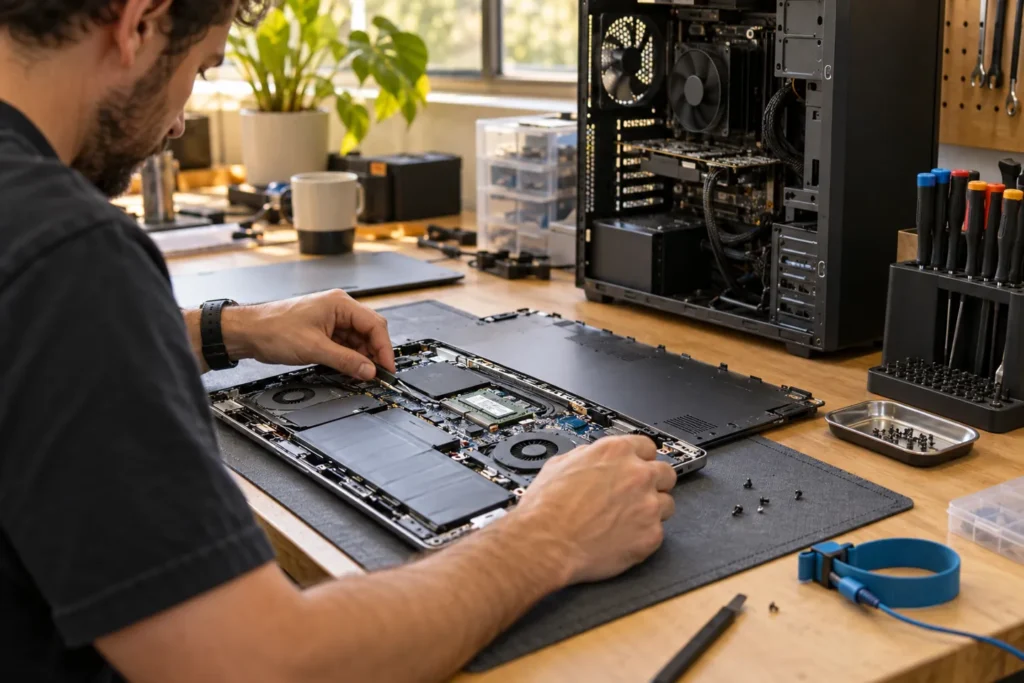
Searching computer shop near me can lead to very different businesses. Some are retail stores, some are repair workshops, some are mobile technicians, and some mainly offer remote IT support. The right choice depends on the problem, not the first Google Maps pin.
Use the location directory to find nearby repairers, then match the service type to the fault. For on-site visits see mobile computer repair near me; for desktop towers see PC repair near me.
Choose a computer shop for hardware faults
Workshop repair is usually the better option for parts-heavy jobs. Screens, batteries, power supplies, graphics cards, motherboards, storage upgrades and gaming PC cooling problems are easier to test on a bench with spare parts and tools. That’s why cracked laptop screens and towers that won’t power on almost always belong in a shop, not on a remote session.
Ask whether repairs are performed in-house or sent to another workshop. Outsourcing isn’t automatically a problem, but it changes timing, communication and who handles the device. For data-sensitive machines, you should know where the computer goes and who can access it.
Desktop PCs benefit when the shop can test parts individually. Spare RAM, power supplies, storage and graphics cards usually narrow a fault more cleanly than someone who only reinstalls Windows and hopes the problem disappears.
Choose mobile repair for home setup issues
Mobile support makes sense when the problem depends on your location. Wi-Fi dead zones, printer setup, modem issues, smart TV connections, home office cabling and small-business network faults commonly need someone to see the actual setup. A printer that works at the shop may still fail on your home Wi-Fi.
Mobile repair can also help older users, busy households and small offices that can’t easily unplug equipment. Before booking, confirm whether the callout fee includes diagnosis only or a set amount of labour. Ask what happens if parts are needed and whether a second visit is charged separately.
So if you’re in a townhouse in Richmond, a unit in Surry Hills or a regional office in Bendigo, describe the environment on the phone. Docking stations, mesh Wi-Fi and shared drives change the job more than the laptop brand does.
Choose remote support for software tasks
Remote support can work well for email setup, Microsoft 365 issues, browser problems, malware cleanup, backups, account settings and basic Windows troubleshooting. It’s often cheaper than a callout when the machine starts, connects to the internet and the issue is software-based.
It isn’t suitable if the computer won’t turn on, can’t connect to the internet, or has possible drive failure. Remote tools can also write to the same drive you’re trying to protect, so treat suspected data recovery as a local specialty job, not a remote “cleanup.”
More boundaries sit in remote computer repair in Australia. If you’re unsure, ask the provider which mode they’d choose and why. A straight answer beats a sales pitch.
Retail store does not always mean repair workshop
Some computer shops sell devices and accessories but send repairs elsewhere. That isn’t automatically bad, but you should know before leaving a machine. Ask whether diagnosis and repairs are done on site, who handles your data, and whether parts are original, compatible or refurbished.
Franchise service desks and mall counters vary widely. Some are excellent for warranty jobs. Others are intake points only. Get the legal business name on the receipt so warranty follow-up isn’t a scavenger hunt later.
But don’t assume a retail brand is safer than an independent workshop. Compare quote clarity, recent reviews for your fault type, and how they talk about data. Skill match beats brand size.
Compare quotes fairly across shop and mobile
Cheaper quotes aren’t always cheaper if they exclude diagnosis, parts, callout fees or return visits. When comparing a computer shop with mobile support, ask what is included, what happens if parts are needed, and whether you pay if the issue can’t be fixed.
- One broken laptop: usually a workshop
- Home-office setup problems: commonly mobile support
- Business devices and network access: mobile or managed IT
- Simple software cleanup: remote can be enough
- Data loss or failing drive: data conversation before repair
The best option is the one that matches the fault, not the label on the business. Use listings to compare address, hours, website, service signals and map distance, then call to confirm details before booking.
Frequently Asked Questions
What is the difference between a computer shop and mobile repair?
A shop usually handles parts-heavy hardware work on a bench. Mobile technicians visit your home for setup, Wi-Fi and network faults that depend on your environment.
When is remote computer support enough?
When the PC starts, connects to the internet and the issue is software-based: email, browsers, accounts, minor malware or settings. It isn’t suitable for no-power, drive failure or physical damage.
Do all computer shops repair on site?
No. Some retail stores send repairs to another workshop. Ask where your device goes and who handles your data before you drop it off.
How do I find a computer shop near me?
Use the location directory to shortlist nearby businesses, then confirm they handle your device type and fault before visiting.
Should I get a repair quote over the phone?
A rough range is fine, but be wary of fixed hardware prices before the repairer sees the exact model and fault.
When you are ready to shortlist a shop, open live profiles such as Mitronics Corporation Perth, YGIT Perth, Managed IT Services East Melbourne. Compare suburb hubs for Melbourne computer repairs and East Melbourne computer repairs — each page lists stored phones, hours and ratings where we have them, with no invented prices.
By Computer Repairs Near Me Team. Last updated June 2026. About · Find repairers
Sources: See also www.cyber.gov.au for baseline Australian guidance.
Looking for local businesses?
Browse verified listings across Australia with current hours, reviews and contact details.
Related guides
Need a local listing?
Browse verified businesses in our directory or read more guides on the blog.
Find repairers All guides